Performance Max Added To Google Ad Grant (How To Maximize It)
Google announced in September that Google Ad Grant accounts would now get access to Performance Max campaigns. This is one of the biggest (if not the biggest) change to Google Ad Grants in the last decade and while it’s got people excited, it’s not quite as amazing as it seems at first glance.
That’s because nonprofits are getting a much different version of the Performance Max campaign type.
The version you’ll find in a grant account is only utilizing search instead of the multi-channel placements that really give Performance Max its power.
Let’s take a closer look at this change, what it means for the future of the Google Ad Grant, and how you can optimize this version of Performance Max.
This Isn’t Your Standard Performance Max
Performance Max campaigns allow you to advertise using images, videos, and text across a huge range of Google’s advertising channels including search, display, maps, YouTube, Discover, shopping and more.
With Performance Max, you’re giving more control to Google’s algorithms and instead of selecting keywords you’re targeting via audiences or themes. Performance Max is extremely powerful, assuming you’re giving it the right data, and a great way for any nonprofit to expand their reach.
The Google Ad Grant version of Performance Max isn’t the same as what you’d find in a paid account, instead, it’s currently only showing ads in search results.
That makes the grant PMax closer to a souped-up version of dynamic search ads where we’re scanning the website and creating ads without keyword inputs, although likely with better results compared to the somewhat finnicky dynamic search ad.
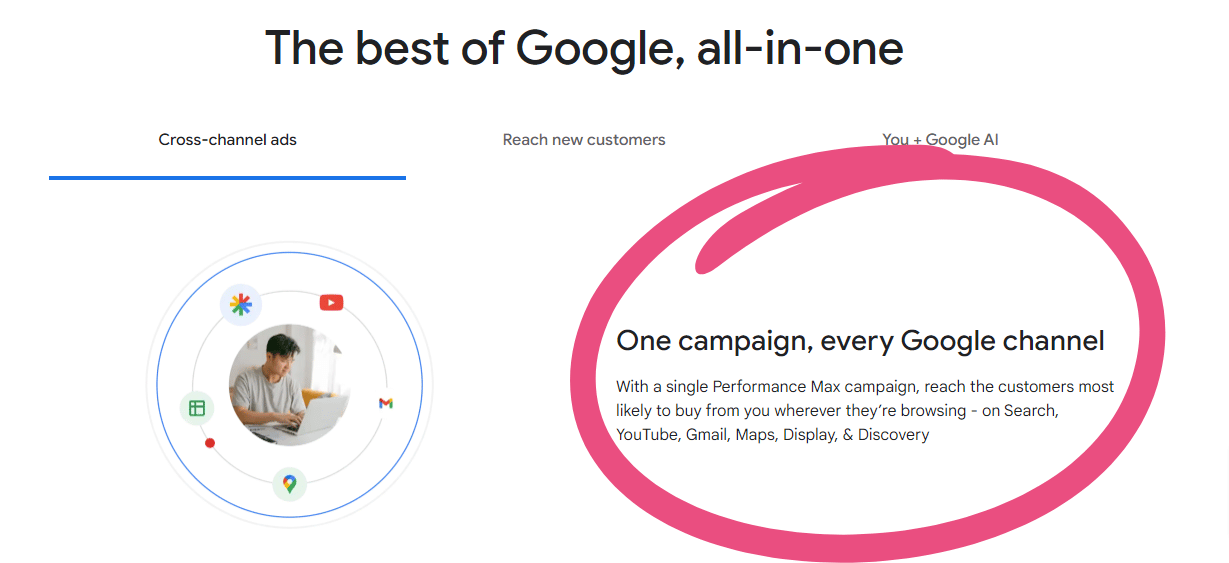
Overall, this is a huge limitation when you consider that one of the big benefits of a Performance Max campaign is the ability to easily advertise across multiple channels at once. It’s one of the main things that Google highlights when they talk about Performance Max so it’s a little strange that they’ve completely removed this selling point:
It’s unclear if Google is going to expand the grant version of PMax to match the version we see in paid accounts and we can only speculate at this point.
I could honestly see this going either way and while PMax is based around multiple channels, grant accounts have always been focused exclusively on search so adding a PMax campaign type that’s in line with this limitation might not be that unusual.
What makes this even more confusing, is that the version of Performance Max found within grant accounts is still prompting users to add videos and other assets despite only serving in search. Hopefully this gets resolved soon as this will no doubt confuse anyone trying to launch a Pmax campaign within a grant account.
Maximizing Performance Max In A Grant Account
Let’s go over a few key tips for getting the most out of Performance Max in a Grant account.
1. Understand Text Expansion & Final URL Options
Text expansion & Final URL in Performance Max can be both powerful and problematic for nonprofits.
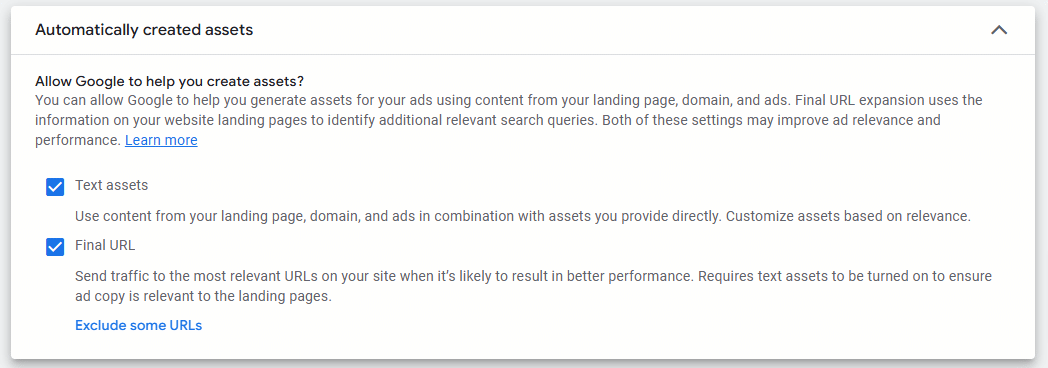
If you leave both of these on, you’re essentially creating a Dynamic Search Ad (DSA) where Google will crawl your website, find any URL that it thinks has search demand and create appropriate ad copy for it.
You have to keep in mind (just as you would with a DSA ad) that Google will crawl anything that’s indexed including a random blog post from 2013, a job posting that’s expired, your privacy policy or a thank you page. However, this is already a concern with DSA ads so take the same precautions that you would there.
For nonprofits with a lot of content (like an online magazine for example) leaving these two options on and excluding some URLs can be a great way to use Performance Max.
For everyone else, I recommend leaving Final URL unchecked and giving yourself more control over the targeting. Whether that’s with a specific URL or by uploading a page feed. If you’re unfamiliar with page feeds, this video does a great job explaining how to get this set up:
2. Choose The Right Audiences
Remember that in Performance Max, audience signals are simply suggestions and not necessarily the audience that will be targeted. Think of these like suggestions and not specific targeting.
But we still want our “suggestions” to be good!
Most nonprofits make the mistake of adding a ton of audience signals into their Performance Max campaigns. Too much signal is really just noise so focus on the most important audiences for your nonprofit.
Additionally, I’ve seen the best results from prioritizing customer match lists if they’re available, remarketing audiences, in-market audiences or life events and then affinity audiences in that order.
This video explains these audience types, and the benefits of each, in detail:
Sprinkle in some search themes on top of that as well and don’t worry too much about detailed demographics unless your nonprofit is very specific to a gender or age range.
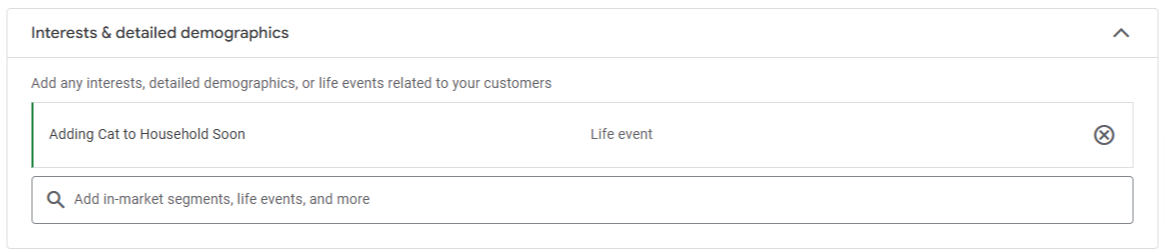
Because we’re using audience signals instead of keywords, I’ve also found it valuable to segment more than you might with a DSA campaign. For example, for Cat Care Society, we’ll have a different audience signal for our cat adoption pages compared to our volunteer pages. For cat adoption, we can use the Life Event of “Adding Cat To Household Soon”:
But for volunteering campaigns we would likely find better results from the “Charitable Donors & Volunteers” affinity audience.
In both cases, we should be prioritizing our customer match or retargeting lists if we have them available as they’ll give the best signal (or “suggestion”) to Google.
3. Don’t Stress Your Ad Strength
Because there’s no reason to add video to your Assets, you’re going to end up with “Good” ad strength as the max. Don’t stress it, your ads will still serve and there’s no reason to spend time uploading videos that won’t serve.
How To Manage Low Click-Through Rate
With around 10 Performance Max campaigns across just as many Google Ad Grant accounts, I’m seeing a surprisingly low Click-Through Rate (CTR) in several campaigns, as in below 3% and in some cases below 1%. This would be an inconvenience to work through in most paid accounts, but in a grant account nonprofits have to worry about the 5% minimum CTR requirement.
However, reliable sources (see below, last paragraph) are saying this 5% rule won’t apply to Performance Max but I’d still be careful with it.
There are some theories as to why CTR is so low for some of these campaigns but the best solution right now is to narrow down your targeting and increase segmentation when you see it. That means turn off Final URL expansion if it’s on and narrow down your Asset groups to one page or at least one key theme while focusing on your most important and clearest signals.
Is Performance Max In Grant Accounts Showing Display Ads?
One possible explanation for a low CTR is that Performance Max could be inadvertently showing display ads. I have not been able to spot a display ad in the wild yet but when running Jack Felstead’s Performance Max Insight Report (which I highly recommend) I’m seeing several campaigns with display placements listed.
However, running Performance Max Placements report natively in Google Ads doesn’t show any Display placements.
Because this Google Ads script pulls from Google’s API, I tend to trust this data. I’m also seeing a pattern between Performance Max campaigns with lower CTR and a higher percentage of Display placement listed.
If this is happening, it isn’t intentional and I’m still researching this further. I’ll keep this post updated with what I find.
Why Don’t I See Performance Max As An Option?
Not every grant account will have the option to launch Performance Max yet and it looks like this feature is going to be rolled out over time. So far, I’m seeing around 50% to 60% of Google Ad Grant accounts with access.
Keep checking your account creation screen and look for a new campaign type between the “Search” and “Smart” campaigns that are typically offered.
Closing Thoughts
Adding Performance Max to grant accounts is a good thing, even if we’re getting a watered-down version. Not only does it show that Google is still giving some attention to the grant program, but it also sets that stage for the addition of the full version of Performance Max which would be an absolute game-changer for grant accounts.
What do you think? Are you looking forward to using this search-only version PMax?
If you want the full version of Performance Max (with Display and YouTube placements), that runs in a paid Google Ads account, not the grant. We run paid Performance Max campaigns for nonprofits alongside their grant accounts. If you’re eyeing social-style placements as well, our Meta Ads management is the cleaner path to Facebook and Instagram audiences.